Jane Tryrell and David Snell opened their presentation with a spotlight on teaching video, which featured teachers talking about how they feel students learn. They also shared a flyer, which comprise the online tools they have developed for staff at one Massey Campus.
The JISC publication that looks at Emerging practice in a digital age was used to highlight the question if there is a new paradigm for tertiary education. At Massey there is a new model of PD at Massey, which is a shift away from the generic workshop model. The new model looks to "fully exploit opportunities provided by new media and provides them with lifelong learning opportunities.
With this underpinning agenda there is a move to develop a range of different initiatives including formal f-2-f, formal online, informal f-2-f, and informal online.What was found was a shift from generic to customised, which can seem like a daunting job. Teaching issues tend to be similar across schools, and the 'solutions' are transferable between disciplines, and the shift in pedagogy applies to all.
A year ago the presenters were given a brief to develop a raft of online resources. The videos were to enable academic staff to access colleagues' philosophies, ideas and experiences. Selected Massey teaching staff were chosen to do this, although the process of identifying them were quite challenging. The aim of the content was to inspire, challenge preconceptions, motivate change, offer alternatives, and provide contacts and go-to people. The topics had to be genuine teaching and learning strategies in line with Massey expectations and desired outcomes. They also had to be demonstrable, specific acts of teaching that was linked to theory and practice.
The model is aligned with principles for sustainable change, which provides strong support at significant leadership levels.
Will try to find out if the resources are open and can be used by other institutions.
Showing posts with label multimedia. Show all posts
Showing posts with label multimedia. Show all posts
Tuesday, November 27, 2012


Tuesday, February 7, 2012
Untangling notions of the flipped classrooms
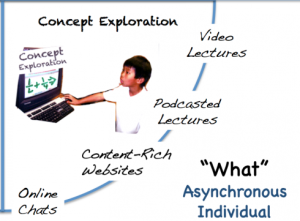
Having done a wee bit more research around the Flipped classroom that centre around videos, I found this rather thought-provoking blog post by Jackie Gerstein entitled Flipped classroom full picture: An example lesson
Jackie quotes Harvard Professor Chris Dede (Global Education 2011 keynote) who said the following about the flipped classroom . . .
I think that the flipped classroom is an interesting idea if you want to do learning that is largely based on presentation. You use presentation outside of the classroom. Then you do your understanding of the presentation and further steps from the presentation inside the classroom. I think it is a step forward. It is still, in my mind, the old person. It’s still starting with presentational learning and then trying to sprinkle some learning-by-doing on top of it. I am interested more in moving beyond the flipped classroom to learning by doing at the center than a kind of the intermediate step that still centers on largely on tacit assimilation.
It is also worth reading "Setting the flip straight" (Aaron Sams), who writes:
Educators should always continue to evaluate the efficacy of an adopted model of instruction. This goes for Flipped Class, Inquiry, lecturing, Unschooling, or whatever educational model you use. I have been a teacher for 12 years, and I have modified my instructional practices every year based on my own reflection, feedback from students and emerging educational practices.
He goes on to caution that the flipped classroom is way of thinking about learning...and teaching, rather than a specific way of doing things, that are reliant on specific technologies.
Jackie then provides a detailed step-by-step example that shifts away from the didactic presentation model to one that focuses "on the students’ personal experiences, interactions with other students, and acquisition of tangible life skills". Well worth having a look at, as it has some really practical hints (including the use of mobile devices), as well as images of the students participating in the activities.
Examples of other users of the flipped classroom approach
- Why I flipped my classroom - a simple and compelling case for the flipped classroom.
- Flip the math content for 4th grade students
- Dr. Lodge McCammon's FIZZ - Flipping the Classroom and Innovative Education Techniques - that can significantly improve outcomes
- Reflections on the flipped classroom
- The Flipped Classroom: Preparing for Friday's lesson on Tuesday! (English blog for year 6)
- Flipped instruction and Screencasting: beyond math
- 15 Schools Using Flipped Classrooms Right Now
Other posts about flipped classrooms
- How the Flipped Classroom is Radically Transforming Learning by Jon Bergmann and Aaron Sams
- Are you Ready to Flip?by Dan Spencer, Deb Wolf, and Aaron Sams
- "The Flipped Class: What it Is and What it is Not" by Jon Bergmann, Jerry Overmyer and Brett Wilie
- "The Flipped Class: What Does a Good One Look Like?" by Brian Bennett, Jason Kern, April Gudenrath and Philip McIntosh
- Private School Math Teacher Flips Learning by Stacey Roshan
- Flipping Out – Reflections on the Flipped Classroom
Thursday, January 19, 2012
Inspiration, skills, and feedback via video: Introducing Russell Stannard

Have you come across Russell Stannard? He has been doing some really interesting things around recording video feedback for students, as well as creating (free) videos for teacher professional development. It is well worth checking him out, especially if you teach English as an Additional Language or have a similar language support role.
Below is an extract from the monthly newsletter that you can subscribe to if you want to stay up to date with the work Russell is doing.
"Welcome to the January 2012 TeacherTrainingVideos.com newsletter. Happy new year to you. I didn't send out a newsletter in December so you will get 2 this month and each one will have new content. I have quite a few new videos set up to share.
This month there are new videos on how to use Smartboard software. So if you use a Smartboard IWB then these videos will really help you. There are also new videos on the fabulous Audioboo podcasting tool. If you want to create podcasts or get your students to create them, then you will find these really useful. There is also a set of videos on a fabulous video mail tool, which is great for getting your students to do speaking activities. There is also my latest audioboo, an recent article of mine in the Guardian and lots more: http://www.teachertrainingvideos.com/iwb2/index.html
Audioboo-Great Podcasting Tool
Audioboo is a great tool for podcasting and it is free. It can also work with smart phones, so great for doing podcasts on the run. The videos take you through everything and even show you how to connect your audioboos so that they can be found on iTunes! Great tool and easy to use.
http://www.teachertrainingvideos.com/audioboo/index.html
Jing
If you want to learn to use JING, the fabulous tool I use for creating the feedback videos, then here is the link.
http://www.teachertrainingvideos.com/Jing/index.html".

Thursday, February 3, 2011
A possible starting point for thinking about designing online courses???
 Image by hazelowendmc via FlickrThis presentation has been designed as a starting point for anyone thinking about online learning. It's a very brief overview that looks at some of the outcomes and interactions that might be desired, along with a tool that may be used to help achieve this (with careful learning design). It is not supposed to be exhaustive...more of an indication of potential and something that leads to more questions.
Wednesday, December 15, 2010
Reading deeply: A Sociocultural approach to an audio-visual 'text'
This activity is designed to develop students critical reading of text, in this case of a cultural, audio-visual text. Alternatively, a traditional, printed text could be used. However, the texts students need to read are becoming increasingly complex and hybrid, requiring a range of multi-literacies.
The resource was designed for certificate in music students at level 3 in response to diagnostic testing (and in-class observation) that indicated critical reading and critical thinking to be significant literacy needs of these students. Developing students critical literacy skills is essential in all disciplines, at all levels; for this reason, this activity is useful, and adaptable to a wide range of contexts. At higher levels the texts and tasks need to increase in complexity and need contextualising to the discipline, but the skills and strategies remain the same.
The music in the video was: "Harmony", by Mseq, 2010 - Licensed under Creative Commons Attribution (3.0)
Formats available: Microsoft Video (.avi), MPEG-4 Video (.m4v)The resource was designed for certificate in music students at level 3 in response to diagnostic testing (and in-class observation) that indicated critical reading and critical thinking to be significant literacy needs of these students. Developing students critical literacy skills is essential in all disciplines, at all levels; for this reason, this activity is useful, and adaptable to a wide range of contexts. At higher levels the texts and tasks need to increase in complexity and need contextualising to the discipline, but the skills and strategies remain the same.
The music in the video was: "Harmony", by Mseq, 2010 - Licensed under Creative Commons Attribution (3.0)

Tuesday, November 23, 2010
Understanding the Digital Generation
A lively, entertaining presentation from uLearn by Lee Crocket - a man after my own heart who believes in really visual presentations :-)!! Well worth watching if you are wondering if learners of today are "wired differently".
The description from the EdTalks site reads: "Lee Crockett is an award winning designer, marketing consultant, speaker, and co-author of Understanding the Digital Generation. Lee's keynote presentation at ULearn10 is an intelligent and humorous look at the differences between digital learners and those that are educating them. Lee believes that we need to provide students with a fundamentally different set of skills; "We don’t need four year degrees any more, we need 40 years of learning and relearning."

The description from the EdTalks site reads: "Lee Crockett is an award winning designer, marketing consultant, speaker, and co-author of Understanding the Digital Generation. Lee's keynote presentation at ULearn10 is an intelligent and humorous look at the differences between digital learners and those that are educating them. Lee believes that we need to provide students with a fundamentally different set of skills; "We don’t need four year degrees any more, we need 40 years of learning and relearning."
Friday, August 20, 2010
Myth or reality? Learning styles under investigation
 Image by LindaH via Flickr
In this video Professor Daniel Willingham puts forward a compelling argument that learning styles are a myth and describes research purportedly supporting his stance. (It is interesting to read some of the comments and discussion below the video too).
- Do you agree or disagree? Why?
- What have your experiences with learning styles been?
- What conclusion have you reached about learning styles?
- And, what implication(s) does that have for the design of learning experiences?
Learning Styles Don't Exist

Friday, August 13, 2010
Teaching geography in New Zealand: Māori geography
Following on from a post I made a few weeks ago Links to ideas, resources, and tools for learning and teaching Te Reo Māori, there has been growing interest in discipline-specific resources, in particular geography.


Graphs that show the number of canoes arriving 1852-1858 (click on the thumnail images above to see the graphs full size)
Janey Nolan (also from the University of Waikato and initiator of the Isolated to Connected Geography Community) has also uploaded a couple of graphs (click on the thumbnail images above to see them full size). Janey advises that the graphs are "not great quality but ok if you click on them and enlarge them". The graphs illustrate "the number of canoes that arrived in Onehunga from the years 1852 to 1858: Also, Crews and Quantity and Species of Produce, as nearly as can be ascertained (A. J. H. R. 1865). The graphs show [that] the amount of produce the Waikato Maori traded with Australia is amazing , especially kits of Onions, Cabbages, Peaches, Maize etc. as well as fowls, pigs, ducks, fish etc... I also have the stories of how the canoe passed through the Waikao River and then to Waiuku and was carried by men, women and children [and] dragged from Awaroa Creek to Manakau. (written Jan, 1859). I'll add story...[later] as this is particularly interesting to those of us who teach natural processes in the Waikato River/Aka Aka basin /Waiuku area" (source).
If you are interested in finding information and resources about official and unofficial names for features and places in New Zealand, Antarctica and the Pacific, this Web site is well worth a visit.

This is a glossary of Māori geography terms, which "has been compiled so that it is especially of assistance in the application of specific concepts and terms to geography".

The following are all sites that students could use to carry out their own projects and research study around Māori geography.

More resources include a video about "Māori names sought for North (Te Ika a Maui) and South Islands (Te Wai Pounamu)", which raises some good points for discussion, and "Whale Watch Kaikoura, Responsible Tourism Awards winner", that, again, could be a useful conversation starter.
For those who prefer to read and are interested in socio-economic geography, this paper by Chris Paulin looks at perspectives of Maori fishing history and techniques (click HERE to download the .pdf).
For and up to date conversation around many of the factors and issues of Maori land use, this blog (Whakairo te whenua, whakairo te tangata: Maori Cultural Political Economy) is a useful one to follow, and some of the posts could be a powerful way of opening up discussion amongst learners.


Curriculum
Paul Keown from the University of Waikato suggests that Māori geography should feature more strongly, and indicated that the new school curriculum certainly enables that, while the Māori Geography Unit standards allow geography students to gain NCEA credits too.
Original documents and sources


Graphs that show the number of canoes arriving 1852-1858 (click on the thumnail images above to see the graphs full size)
Janey Nolan (also from the University of Waikato and initiator of the Isolated to Connected Geography Community) has also uploaded a couple of graphs (click on the thumbnail images above to see them full size). Janey advises that the graphs are "not great quality but ok if you click on them and enlarge them". The graphs illustrate "the number of canoes that arrived in Onehunga from the years 1852 to 1858: Also, Crews and Quantity and Species of Produce, as nearly as can be ascertained (A. J. H. R. 1865). The graphs show [that] the amount of produce the Waikato Maori traded with Australia is amazing , especially kits of Onions, Cabbages, Peaches, Maize etc. as well as fowls, pigs, ducks, fish etc... I also have the stories of how the canoe passed through the Waikao River and then to Waiuku and was carried by men, women and children [and] dragged from Awaroa Creek to Manakau. (written Jan, 1859). I'll add story...[later] as this is particularly interesting to those of us who teach natural processes in the Waikato River/Aka Aka basin /Waiuku area" (source).
Names
If you are interested in finding information and resources about official and unofficial names for features and places in New Zealand, Antarctica and the Pacific, this Web site is well worth a visit.
Glossary
This is a glossary of Māori geography terms, which "has been compiled so that it is especially of assistance in the application of specific concepts and terms to geography".
Sites for locating and researching Māori geography
The following are all sites that students could use to carry out their own projects and research study around Māori geography.
- Te Tiaki Mahinga Kai - has links to a variety of multimedia, and also has an extensive list of .pdf newspaper article files that can be downloaded
- Manaaki Whenua: Landcare Research - has a good range of databases, education resources, and Maori specific topics and approaches to landcare
- Indigenous peoples, issues and resources - has a large number of links to a wide range of resources around the indigenous people of Oceania
Other resources
Other resources include this video where Simon Lambert explains re-indigenising humanity, what Māori geography is, and revitalizing the Indigenous mind.
More resources include a video about "Māori names sought for North (Te Ika a Maui) and South Islands (Te Wai Pounamu)", which raises some good points for discussion, and "Whale Watch Kaikoura, Responsible Tourism Awards winner", that, again, could be a useful conversation starter.
For those who prefer to read and are interested in socio-economic geography, this paper by Chris Paulin looks at perspectives of Maori fishing history and techniques (click HERE to download the .pdf).
For and up to date conversation around many of the factors and issues of Maori land use, this blog (Whakairo te whenua, whakairo te tangata: Maori Cultural Political Economy) is a useful one to follow, and some of the posts could be a powerful way of opening up discussion amongst learners.
A call for more
Does anyone have other suggestions? What other resources do you use with your students? What can you recommend (especially interactive, online resources that would be pretty much ubiquitously accessible)? Please add ideas below, and I'd be very happy to collate them if you'd like :-)
Wednesday, July 21, 2010
How to embed an .swf into a Moodle Book
 Image via Wikipedia
Click HERE to watch the video full size.


Saturday, June 26, 2010
How to create a space in Moodle using the book plugin
A short video, this takes you through the reason why you might want to use a 'Book' format in Moodle, how to create a book, embed multimedia, and link to interactive Moodle spaces such as wikis and discussion forums.
To view the full size video go to: http://blip.tv/file/3801992
To view the full size video go to: http://blip.tv/file/3801992
Saturday, June 5, 2010
Links to ideas, resources, and tools for learning and teaching te reo Māori

Kia ora koutou katoa.
Ideas for communication around and through Web 2.0 can be in a vast array of languages. Language learners and teachers are increasingly recognising computer mediated communication and multimedia as key factors in learning the mechanics of the language, as well as for connecting learners, encouraging students to create their own artefacts, and enhancing the exploration of socio-cultural aspects of language. Te reo Māori is one such example.
The following represents a brief selection from a large range of ideas, exemplars, resources and tools for te reo Māori. Please make recommendations around other resources you may have found useful, and share any feedback you may have about those mentioned below.
Ideas for learners
Ngā whakaaro mō Te Wiki Reo Māori - Ideas for Māori Language Week: The introduction to these ideas reads "No matter what your level of fluency, there are many things you can do to celebrate te reo Māori. Of course, you can try these suggestions all year round, but Māori Language Week is a great time to start!". The page goes on to make over 20 suggestions, with links to supporting resources and sites. There is also a language club that enables students to make contact with other learners.
For learners making their own resources, these two short videos - Let's go out and eat (by Lucy, Maddy and Darren), and one by Katie, Evie and Fran about a hangi, give a nice example of students working together to create something that they have shared with the world in general, and which can be rated and commented on.

For material for discussions around language and culture, there are a couple of interesting resources that could be used with learners. For example:
- A short, thought-provoking compilation of the voices of "four young people and four elders from sharing their thoughts, fears and hopes for the future of whānau (family), of technology, of te reo..., of environment, of Ngāi Tahu, of our country and of our world". Other videos from this video stream can be found by clicking HERE.
- With reference to the contemporary influence of the language, Te Reo Māori plays a part in Hollywood blockbuster Avatar is well worth a watch.
- The Channel 9 video: Should Te Reo be a Compulsory language in New Zealand Schools?
- Two short recording entitled: 'Mauri Tu! Mauri Toa! Mauri Ora!', and 'Ahai' which could be used to lead into a discussion around the implementation of Mau Raakau (The Art, Values & Disciplines of Māori Weaponry) into NZ High Schools.
- For images related to Māori life and New Zealand, www.maori.org.nz have a variety of graphics, including clip art and Web art, that can be used (as long as the source is acknowledged). For a wider range of resource types, including multimedia, the University of Otago Library has compiled a useful list.
Resources

This site has a rich selection of resources, some of which are interactive. Learners can, for example, click on a word and hear the pronunciation, then test their knowledge with online activities. There are also sections suitable for beginners and advanced learners, as well as for businesses. A great place to find out about protocols as well. There is also a downloadable resource with language learning strategies.
There is a reasonable selection of online resources around the meanings and pronunciation of Te Reo Māori on the Internet. Some of the best include really clear videos that show the mouth shape as well as the audio, (from www.maorilanguage.net who also have a You Tube channel you can subscribe to), which model the pronunciation of the vowels and consonants. The site also has an annotated list of links to online dictionaries and translators, and a range of commons phrase 'drills'.

The Treaty of Waitangi can be read in Māori (with accompanying audio read by Whetu Scott that needs Windows Media Player installed to play the files) and English.
Te Kete Ipurangi (TKI) – The Online Learning Centre have a wide range of multimedia and interactive resources, related to Māori Education including myths, dance, ancient civilisations, collaboration and cooperation, and dramatic performance - to name but a few!

Initiatives / Creative Projects
Tools
The launch of Google in Te Reo Māori is discussed in this blog post and this video. To change the language that you view the Google interface in follow these instructions.
![Reblog this post [with Zemanta]](https://lh3.googleusercontent.com/blogger_img_proxy/AEn0k_t5FEef1P-TbB06i1emCxsac_zttcVsYeBEddbP6BhwHKXqag6bUWxOa8Bxk2jWpHMX0eeDDDaSYzImMuvN3SJWls1eSs89BYlNqIOLqdCxnx7-yadv0BDOTJ3Ic3QUiXVJU4w0xGFZQNAWRcZ9UtcX=s0-d)
Sunday, May 30, 2010
Using Multimedia & Smartboards to empower multi-level learners

This video comprises three short recordings. Two of the recordings show the education practitioner, Chris Lovegrove introduce to the students studying the TTEC 5307 Auto Electrical & Electronics at Unitec NZ, the use of videos to help them master the computer programme, Autocad. The third video shows one of the the screencasts Chris Lovegrove made to scaffold his multi-level learners in their use of Autocad. The videos were used by the students during the class to help them complete activities in Autocad, so that Chris could circulate and help students with digital literacy issues, as well as students with problems using Autocad. The videos were accessible to students via the Intranet outside of the class in the Unitec NZ library and other drop-in labs, and students could also copy the videos to Flash drives and watch them at home. Many thanks to Chris Love and the students of the TTEC 5307 Auto Electrical & Electronics for allowing me to take this footage, and for sharing their experiences.
Friday, May 28, 2010
Learning and teaching French: Examples and resources

BEFORE you start reading - please note that all the links (shown in green text) in this blog post go to examples, sites and tools,
If you are learning or teaching French you are likely to find some of these ideas and resources of interest. There is definitely a trend to empowering learners to create their own multimedia artefacts, and to collaborate, not only as a class or local group, but also on projects with learners across the world. Multimedia tools are being used by teachers to create content, as well as to capture learners' voices in creative approaches. The fostering of thinking skills is also catered for with interactive, often inquiry-based activities.
Voicethread is being used extensively for language learning and teaching, and some example of Voicethreads in action are: L'art franais, French for maths, To find out more about Voicethreads, click HERE.
For listening annd visual resources, the French Listening Resources Page offers a variety of podcasts and videos. The BBC also have a wide range of multimedia resources for learning French at beginner, and intermediate levels - for example, there are 10 online topics based on the 20-part TV series that build on the absolute basics of Talk French. With French in a click learners can access topic-based modules with exercises, explanation and activities, play interactive language games for free online (but you need to be a member to hear the audio), find out about French grammar and vocabulary, and use the online dictionary.
Teaching French at school? For primary students there are links to sound files, songs, newsletters, podcasts, and lesson plans on a range of common topics. For teachers of slightly older students there are movies, stories and letters, grammar explanations and activities, and worksheets.
If you are looking for a comprehensive annotated list of links to resources Frenchteacher.net is the place to go. There are links to the usual worksheets, quizzes and Powerpoints, as well as to ready-created multimedia resources. The Free Language site also has links to French learning podcasts, TV, videos, and communities.
There are also sites that offer complete, free courses in French. The Word to Word site lists about 10 such sites, and if you click here this link will take you to an example of one such course.
![Reblog this post [with Zemanta]](https://lh3.googleusercontent.com/blogger_img_proxy/AEn0k_t4j3f4U5jLTGZ2PFPGGKFGWbWZD23J_AAxvnPtKPsUD1CbAa4PFM-zPvtVb3Vb6TzGtLQDsujsMeaZ5beSqyXdBLZnbC8Es1wT-MLOzsLbxNlVT8r3xCarQZOKTb7I6TFeTifnrI0JSid_nyMnoIWD=s0-d)
Thursday, May 27, 2010
Voicethread for general education and second language learning: Examples, ideas and how to

One of the great things about Voicethreads is that they can be embedded in blogs, Learning Management Systems (e.g. Moodle), and in ePortfolios if you wanted students to showcase their work. The combination of media can be a great way of encouraging students who prefer an oral/aural and/or visual approach to learning too.
The first question you might want to ask is what is Voicethread? This Voicethread answers just that question:

The links below are to a few key examples and ideas, as well as to some Voicethread communities, along with some to "how to..." resources around the nuts and bolts of using Voicethread.
Examples and ideas for using Voicethread
- The first few examples focus on learning Spanish, and some of the interesting ways in which Voicethread has been used. At Mount Vernon High School, the Spanish teacher there uses Voicethreads to help students practice their vocabulary and pronunciation, to make presentations, and as part of assessments.
- Eve Millard explains that Voicethread helps her students of Spanish with listening, reading, writing and speaking practice, as well as increading opportunities to work on pronunciation, and other specific themes or skills. The featured Voicethread covers using adjectives.
- Two examples of a specific topic being covered using Voicethread can be found here: La Familia Rivera, and here: La nia de los tres maridos.
- For literacy skills for fourth grade classes from around the world, Voicethreads are being used to record students' book reviews on the Books Go Global wiki space.
- Three examples of how 8th grade students are using VoiceThread for oral interpretation of literature
- An example from the world of Geography, where students in Katikati use Voicethread to analyse and practice a past exam question on natural landscapes. The idea was to collect and share a wide range of interpretations of the exam and responses to learn from.
- From a higher education/tertiary sector background, this example looks at using Voicethread for digital storytelling and the enhancement of reflective practice. The featured example illustrates how Voicethread has been used to help medical professionals learn Spanish. At the University of Albany, Voicethreads are being used to create a sense of community.
- A comprehensive collection of Voicethread examples from students and teachers of all ages and groups can be located at the Voicethread 4 Education wiki, where you can also find a page with Classroom Partners should you be interested in collaborating with other classrooms on a Voicethread project. Other examples of Voicethreads in use can be found at the CARLA Technology wiki site.
- For a general collection of Voicethread resources, the My Web 2.0 Adventures wiki is worth a visit, as is the Educational Software wiki put together by Suzie Vesper.
There are a lot of tutorials available about how to create Voicethreads, not surprisingly with many made in Voicethread. Some of the key ones are:
- A thorough, well designed tutorial in Scribd (can be downloaded).
- Mini-tutorial on VoiceThread
- You can read a Voicethread tutorial from Jennifer Wagner's EggRoll site by downloading this .pdf file: VoiceThreadtutorial.pdf.
- If you need help with how to create a free account for teachers, and student spaces within that account the VoiceThread Help is really useful.

Tuesday, May 18, 2010
Moodle for New Zealand Schools

Image via Wikipedia
If you are an educator in New Zealand or further afield, you may find the Moodle for New Zealand Schools Newsletter of interest (click the link to download the .pdf file). It is a new initiative, and this is the first issue talks about the growing Moodle in Schools community, which, amongst other things is sharing effective practice via stories from schools who have implemented Moodle, sample courses and screencasts, and is also developing self-directed learning materials for installing and using Moodle. The newsletter also describes what the Moodle for schools version is, and also what it can offer. Well worth having a look if you are already using Moodle or are keen to do so.

![Reblog this post [with Zemanta]](https://lh3.googleusercontent.com/blogger_img_proxy/AEn0k_t8b2crxyklitumpt6epk3S3JJ3uQ3iz29NHKYMt60aSwoW0I1NpM_Mcr7e7jZWyfNInw-nxuL2TI58i0Ia_AfauqepesLDUA9TxLHasVNyo85uvpPvRIq9WZqod4RPl4cmAeVw-CX4F73c73yPoFTW=s0-d)
Tuesday, April 27, 2010
Create, collaborate, communitcate (John Trealor, DEANZ 2010)
 Image by hazelowendmc via Flickr
One of the key things that was emphasised was the engagement of participants. One example that he gave was 'In a Nutshell' (a collection of 5 minute, or less, video resources from the University of Southern Australia). The topics are related to learning and teaching, and have been created in Adobe Connect. The only equipment required is Adobe Connect, a video, and a microphone. Another example that he gave as an easily accessible bank of resources that complex covers concepts and skills around nano technology was Nano Hub. Links etc will remain live so users can follow hyperlinks as they view the video.
I wonder how many people from this presentation will go away and try this resource? There are a couple of issues that may not have been covered very clearly - for example, it is an expensive tool, and it is not possible to go and try it out for free online before purchase. It is likely that a whole institution would have to sign up to have Adobe Connect. Bandwidth is an issue, too. Also, based on some of the research that was shared yesterday there are some professional development considerations around the use of Webinar technology like this, especially if it is going to be used to empower learners rather than replicate lecture formats online....
![Reblog this post [with Zemanta]](https://lh3.googleusercontent.com/blogger_img_proxy/AEn0k_vO7IGsuqs6g32an1kFbmwB0yZFd4ipXQCXGJfQWl0mh-cNob42jFhZTj8Y8znHp3ItL1mbtNj7tS3JuEt-h5Sa52bQ4PaD4V8TsbzpoxjHKeCg18m_pLvpnRM2tjMPtATqe2rT88wjEKykgjjMxgI=s0-d)
Wednesday, April 14, 2010
Facilitating students to create their own content (Thom Cochrane, Moodle Moot 2010)
 Image by Getty Images via Daylife
The audience was then encouraged to sign into Thom's Moodle course (Unitec NZ), and to get out their mobile phones for the session.
The notion of mobile sharing multimedia via smartphones, was suggested as a way of bridging learning contexts and to promote social collaboration. Vox blog was used as an ePortfolio platform partly because it did not have the games, gifts and other gizmos that take up space and have little educational purpose.
The buzz in the room went up as people used Twitter, mobile phones, and laptops to vote via Poll Everywhere about the type of phones they have. Most people (24%) have a camera phone, and 24% had a smart phone. It was certainly an effective way of engaging the audience! The next tool that Thom looked at was Prezi, and he illustrated its use by showing a student's work, which she had created via her mobile phone.
Main costs for using this type of mobile learning is when students start uploading large amounts of data. So a 3.2 MP photo will cost about 5 cents, and 1 minute of streaming video about 60 cents. Students can be encouraged to upload larger files via a laptop or desktop computer to help keep the costs down.
Mobile learning certainly seems to be the way of the future as it empowers students, provides authentic audiences, encourages engagement and ownership, and allows for any time, any place learning. The focus, however, needs to be on what can be achieved with this alternative learning experience, rather than the tools themselves.
![Reblog this post [with Zemanta]](https://lh3.googleusercontent.com/blogger_img_proxy/AEn0k_sRJJPdhYmhpjoZu09tY_zdOKD1mNUyfqnP6tKyiPyfDWedwUxIAkNKR95Pw5VGx5izZdtqxOOVv_c1l78LV8tZVHia1bBQDFoqnO18UhfgRx6jBpQsxgf_N5-iztAWcKqmZF4SH_puM6kPbKyx9lDB=s0-d)
Moodle in New Zealand Schools (Jacqui Land - Moodle Moot NZ 2010)
 Image by hazelowendmc via Flickr
Jacqui gave a 'guided tour' of the site. The Moodle in Schools home page has a variety of forums, screencasts, sample courses, school stories and a demonstration. You can access the site also to see which other schools are using Moodle which could be a good way to network, and possibly share ideas, and even courses (that are all categorised on the site). You can add videos and other resources for the Moodle in Schools community. The sample courses resource is pretty useful as you can go and get inspiration for your own course design, or some courses can be zipped and download the course (but it has to be used under the Creative Commons licensing requirements).
It is well worth having a look at the site if you are planning to implement Moodle in your school, and you can pose questions to schools, IT folk, etc who have already made the leap.
![Reblog this post [with Zemanta]](https://lh3.googleusercontent.com/blogger_img_proxy/AEn0k_ujM8JkFKqCM8KlQi1zcCKIs-FyZxctny7WuCve4Tax3waURzviXGGgXEvw8FwPFfw-l-ZUj_euAbPS2eCKzTYPhkC51GZoc2ettf1M-UKljogTVVtCDS2m3_c3btyttdBztTgG_TVVTzy9paz_NDJT=s0-d)
Monday, August 3, 2009
Podcasting for LLN - a taster session
 Vickel Narayan and I ran a 1 hour workshop (with Yong Liu as invaluable support) at the LLN symposium at Unitec NZ on 15th July 2009. The abstract for the session was: "Ongoing results from the field indicate that using multimedia with learners can be highly effective, especially where LLN challenges are being faced. Have you considered using audio tools? Would you like to try podcasting? In this 1 hour session you will find out how to adapt existing resources to audio, record in a digital format, and make the resulting files easily available to students as podcasts. You will need to bring print material (about 1-2 pages of text) which you have found students have found challenging in the past."
It was a little frantic during the setting up as we arrived 1/2 an hour early to get all of the laptops set up (with headphones that we'd begged, stolen and borrowed - mainly Vickel). A compromise was reached and the 26 participants rolled up. We had set up a Ning (http://podcastunitec.ning.com/) for the session with resources participants could access after the 'taster' workshop. We had also set up a Podomatic site so that podcasts could easily be uploaded (http://unitecnzpodcasts.podOmatic.com). After introducing the session and showing a great short video that explained what podcasts are (http://podcastunitec.ning.com/video/whats-a-podcast), we asked everyone to work in pairs at a computer. We used a 'how to...' video that went over the basics of recording an audio file in Audacity, exporting it, and then uploading it to Podomatic.
 There were some glitches, but on the whole everything went smoothly and everyone enthusiastically figured out what to do. Toward the end of the session we played a successful podcast that had been made and uploaded during the session. It seemed to go really well and people seemed to be pretty inspired.
The feedback for the session was mainly positive. People were excited by the possibilities and potential for LLN, and others had a real sense of achievement, mastering skills that they did not previously have. The hands on nature of the session was appreciated, although the very large number of participants who had been signed up meant that even with Vickel, Yong and myself, it was tricky to keep up with requests for assistance. The ideal size of sessions like this is around 10 participants maximum. Some people were frustrated by technical glitches (for instance the Podomatic site ground almost to a halt once 15 sets of people started to upload podcasts...to the same account. This meant that some people were not able to listen to their podcast during the session, but had a link and login details in the Ning so that they could have a listen later - not quite the same though). All in all, though, an invigorating and exhausting session! :-)

Sunday, June 21, 2009
The Power of Multimedia to Express Complex Concepts

- Multimedia - the nurturing of ideas
Sometimes wondered what all the fuss is about multimedia? Pondered how to express a gnarly concept? For me the answer is illustrated by this animated video "Democracy is..." (bu Lucas Szozda). It is, in my opinion, beautifully eloquent and yet hauntingly simple.
Subscribe to:
Posts (Atom)


 Posts
Posts


